


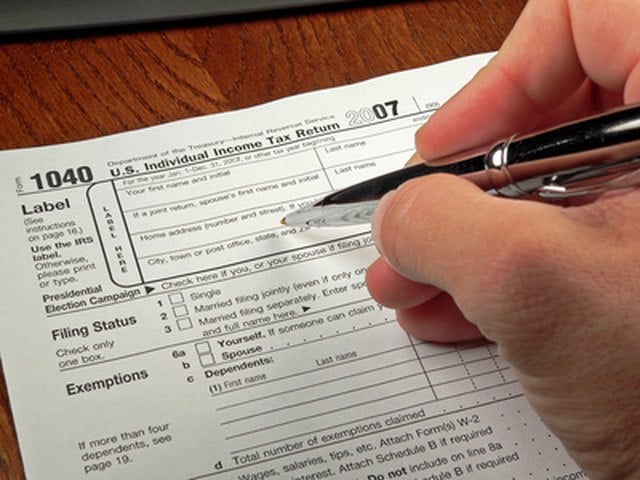

Tax returns can be simple or complicated depending upon an individual's specific circumstances. Taking some time to practice filling out important tax documents can be very helpful. It gives taxpayers a chance to identify and correct any errors in order to avoid having to file an amended return later on. It also gives students who are working toward a variety of personal finance degrees a chance to learn while doing.
Fortunately, there are several different ways you can practice filing income tax returns.
Consider also: Tax Return Preparation: Tax Services, Tax Help & More
Use TaxSlayer Pro's Practice Returns
If you're looking for a practice tax return for students, TaxSlayer Pro is a great place to go. The company offers a total of seven different practice exercises to help future tax preparers put the information they learned in class to the test. To access these exercises, simply head to TaxSlayer Pro's homepage and click on "Practice Tax Returns" from the "Resources & Tax Education" drop-down menu.
Under the "Practice Tax Returns" heading are seven different exercises that users can choose from. Directly across from this are the matching "Answer Keys."
Download the exercise you want to try and either save it to your computer or print it out for easy reference. Then input the information in the exercise into TaxSlayer Pro's software. Use the answer key to identify and correct any mistakes.
Try the IRS's Tax Simulations
Another way to practice preparing tax returns if you are a student is to use the Internal Revenue Service's (IRS) Simulations App. On the app, you'll find a total of 20 characters who each have their own set of circumstances.
For example, you can help Monica Lindo complete a tax return as a dependent or Seth Wiggins claim the Earned Income Credit (EIC) as a single taxpayer. Once you choose the simulation you want to work on, click the link directly underneath the character's name to get started.
Consider also: E-Filing: How to File Your Taxes Electronically, IRS Free File & More
Follow TurboTax's Online Software Program
TurboTax is an excellent choice for individual taxpayers who want to practice completing a tax return. This is because TurboTax is not only free to use for those filing simple returns, reports The Law Dictionary, but it also doesn't charge for its services until you've completed the return and wish to file it. Users can follow the prompts and input their information into the TurboTax system and then simply choose not to file when they reach the end.
Consider also: Tax Preparation Software: Choosing the Best Tax Software for Your Needs
Download Free IRS Forms
Students and individual taxpayers alike can head to the IRS website, where they will find a host of free downloadable tax forms under the "Tax Forms and Publications" page. All of these can be used as a practice tax return form. The forms can be saved to any computer or printed out to be worked on with a good old-fashioned pencil.
If you prefer, you can call the IRS at 800-TAX-FORM between the hours of 7 a.m. and 10 p.m. local time every Monday through Friday to request the tax forms you require be mailed directly to your home.
Check Out H&R Block's Calculator
Taxpayers who are just looking for a quick idea as to whether or not they will owe money or receive a refund before actually filing a return can use H&R Block's tax calculator. This tax calculator is designed to ask a few simple questions, as well as information on your income. It then takes that data and returns with a good estimate. To use the calculator, simply click the green "Calculate Refund" button and follow the prompts.