
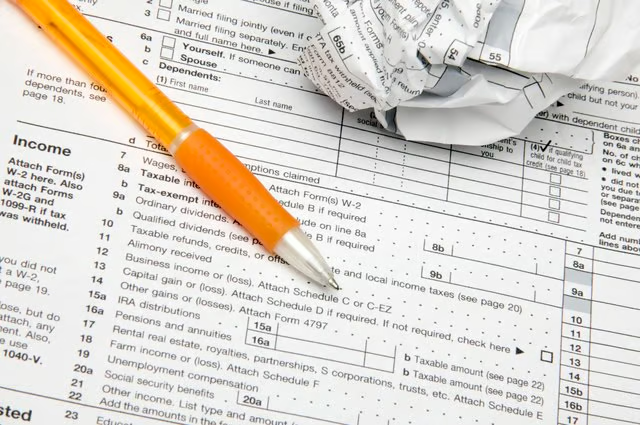


During your career, you might receive a Form 1099 as a contractor or other self-employed worker, or you might submit one to the IRS because you hired a vendor, supplier or individual who was required to receive a 1099. If you've received a 1099, you're required to report that income, but you're not required to submit the 1099 with your tax return (unlike a W-2, which you need to submit).
If you issued a 1099 and later found it was incorrect, you can submit a corrected version following a few simple steps. Reviewing how to correct a 1099 will help you make sure you get it right the first time.
Read More: Form 1099 Tax Deductions: 10 Top Deductions for Independent Contractors
Make Sure It’s Incorrect
You can make a variety of errors on a 1099, such as the payee's information being entered incorrectly, the income amount or your information, explains CPA and business advisory firm, Eide Bailly. You might have used the wrong version of Form 1099.
Just because a contractor, vendor or supplier contacts you and says your 1099 was incorrect doesn't mean that's correct. Double-check all of the information with your accounting department or your tax preparer to make sure you made a mistake before you go ahead and issue a corrected version to the IRS.
If you believe you received an incorrect 1099, contact the issuer. If they do not respond, contact a tax professional about your concerns so you can figure out how to submit your return when someone has possibly filed an incorrect 1099 for you. Even if you don't receive a 1099, you must still report the income.
According to the IRS website, if you don't receive a 1099, or believe someone filed an incorrect 1099 for you, you should call the IRS at 800-829-1040. The IRS will contact the company you believe should have issued and filed the 1099, so have that person or company's contact information handy. Note that you still need to report 1099 income on your tax return whether you get the form or not.
Read More: W-2 Forms: What It Is, Who Gets One & How It Works
Get a New 1099 Form
When you pull up and/or download a Form 1099 from the IRS website, you'll notice that the copy you are to send to the IRS (Copy A) is printed in red ink. You won't be able to print this copy on your printer. The directions at the link above warn filers not to try and print this copy and submit it because the IRS won't be able to scan it. You can be fined for filing this copy.
If you need a copy of a 1099, you can order official forms on the IRS website. You can also get them from a commercial tax preparer or your regional IRS office. You can also try an online search for, "Get a 1099."
Read More: What Is a Schedule C Form: Who Needs to File & How to File
Fill Out/Submit the Form
At the top of Form 1099, you will see the word "Corrected" next to a check box. Start filling out the form by checking that box. After you have filled out the form correctly, you will send one copy to the recipient and one copy to the IRS.
The packet you send to the IRS should include the corrected Form 1099 and Form 1096. This form is available on the IRS website, but is also printed in red and is not scannable. Order this form at the same time you order a Form 1099.
Read the directions for filing a corrected tax document in the document, "General Instructions for Certain Information Returns." Do a keyword search of the document for the word "corrected." You'll be directed to page 10 of the 2022 version of the document and the heading, "H. Corrected Returns on Paper Forms."