
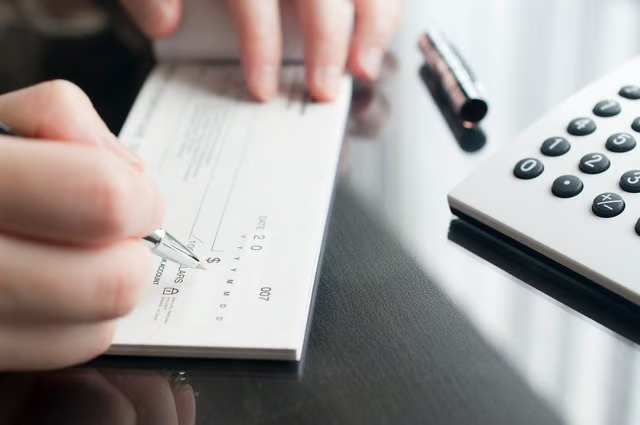


A check is a legal document that authorizes a bank to pay money to someone from your checking account. Banks provide blank checks, called starter checks or counter checks, when you open a checking account. Once you order pre-printed checks and they arrive, you'll be able to skip filling in some of the information you must write on a starter check. Here's what you should know if you have a blank check to fill out.
Check Writing Do's and Don'ts
Take the time to fill out the check clearly and legibly. Be sure to provide all of the required information. Illegible or incompletely filled out checks may be rejected by the bank. Always write checks using a non-erasable ink pen because checks written in pencil can be altered.
Enter the amount and details of each check you write in your check ledger at the same time you make out the check. If you forget to do this, you may accidentally write a check for more money than you have in your account. The check could be returned. If this happens, you might have to pay an overdraft fee.
Filling Out the Blank Check
When you have a blank check to fill out, you'll need to make sure you have important details like the routing and account numbers beforehand. Then you can follow these steps to fill out the check:
- Write your name and address in the space at the upper left of the check. Use the same name you use for the checking account. If the account is in the name of John Smith, don't write "Jack Smith."
- Write the check number in the space provided at the upper right of the check.
- Enter the date on the line below the check number.
- Starting at the left of the check is a line labeled "Pay to the order of." This is the payee line. Write the name of the organization or person you are paying here.
- Enter the check amount written in numerals in the space to the right of the payee line. For example, you might write "274.68."
- Fill in the line below the payee line with the check amount written out in words: "Two Hundred Seventy-Four and 68/100." Always write the cents figure as a fraction of 100. Draw a line through the reaming space on this line.
- Use the space labeled "Memo" at the lower left to record what the check is for. This step is optional.
- Below the memo line is a string of numbers. The first part is the bank's routing number. Your bank may print your account number on starter checks to the right of the routing number. If this isn't the case, you must enter your account number here.
- Sign the check on the line at the lower right corner of the check.
Using a Computer for Checks
If you have a lot of checks to write, as you would if run a small business, you can save time and effort if you fill out checks using a computer with a program like Quicken or QuickBooks. Follow the program instructions to enter your name, address, account number and other information. Once this is done, all you have to do to fill out a check is enter the payee's name and the amount. After that, you just print out the check.